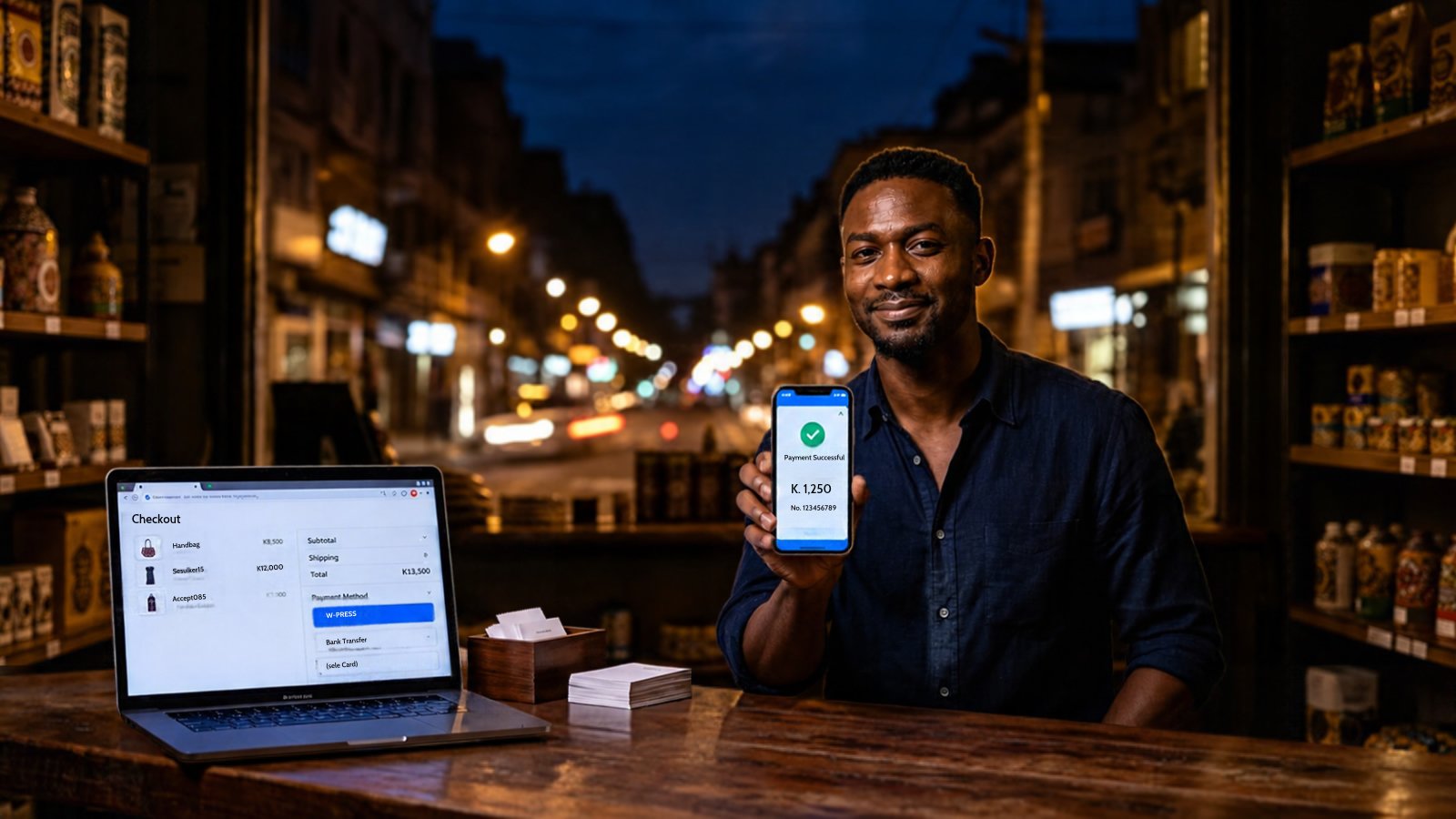
A Kenyan customer finds your product, likes the price, taps “buy”, and is asked for a Visa card. That’s where most online sales in Kenya die. People pay with M-Pesa. If your website can’t take it, in the checkout, with a prompt on their phone and an instant confirmation, you’ve built a shop that most of your customers can’t use. M-Pesa integration is what turns a website from a catalogue into a till, and this guide explains the options, from a simple Paybill number to a full Daraja API connection, so you can choose the right one for your business.
This article goes deep on one part of our complete guide to building an ecommerce website in Kenya, which covers platforms, delivery, features and a launch plan. Here we focus only on payments.
What M-Pesa Integration Actually Means
At the simplest level, “M-Pesa integration” means your website can take an M-Pesa payment and know, automatically, that it was paid. That second part is the whole point. Anyone can put a Paybill number on a page and ask customers to send money and email a screenshot. Real integration means the customer enters a phone number at checkout, receives an M-Pesa PIN prompt, pays, and your website marks the order as paid within seconds, with no human checking SMS messages.
Behind the scenes, this happens through Safaricom’s Daraja API (its developer platform) or through a payment provider that has already connected to it. Which route you take depends on your platform, your volumes and whether you have developers.
Paybill or Till (Buy Goods): Start Here
Before any integration, your business needs an M-Pesa business account, either a Paybill number or a Till number (Buy Goods). Both let you receive payments; the difference is in how customers pay and what you can do afterwards.
- Paybill: the customer enters a business number and an account number (for example, an order number). It’s the natural fit for ecommerce, invoices, subscriptions and anything where you need to match a payment to a specific order or customer.
- Till (Buy Goods): the customer enters only the till number. It’s quicker for walk-in retail and simple one-off sales, and it’s also supported for online checkout.
Either can be integrated with a website. If you’re building a shop, a Paybill (or a Till used with Lipa na M-Pesa Online) gives you the order-matching you’ll need. Apply through Safaricom with your business registration documents and KRA PIN; integration can only go live once that account exists and is verified.
The Three Ways to Add M-Pesa to a Website
1. A plugin or built-in gateway on your platform
If your site runs on WooCommerce, Shopify, Magento or a similar platform, the fastest route is an M-Pesa payment plugin or an extension from a payment provider. You install it, enter your credentials, and the checkout gains an M-Pesa option that sends a prompt to the customer’s phone. This suits small and medium shops that want to go live quickly without custom code. Check that the plugin is maintained, supports the current version of your platform, and handles failed and cancelled payments cleanly.
2. A payment aggregator
Payment providers such as Pesapal, Flutterwave, iPay, DPO and Paystack have already done the Daraja integration and wrap it, along with cards, Airtel Money and bank transfers, into one gateway. You connect to them once and get every method at the same time, plus a dashboard for reconciliation and settlement to your bank. The trade-off is a transaction fee on top of M-Pesa’s own charges, and settlement timing that depends on the provider. For most ecommerce sites in Kenya, this is the best balance of speed, reliability and breadth.
3. Direct M-Pesa API integration (Daraja)
Going direct means your developers register on the Safaricom developer portal, build against the Daraja API in the sandbox, then apply to go live with your Paybill or Till. You get the lowest per-transaction cost, full control over the customer experience, and access to every M-Pesa capability. The cost is development time, a proper server with HTTPS for callbacks, and ongoing maintenance. This route makes sense for high-volume shops, custom platforms, SaaS products, fintech and any business where payments are core to the software. Our guide to software companies in Kenya explains how to brief and choose a team for custom work like this.
M-Pesa API Integration: The Pieces Your Developer Will Talk About
If you go direct or build anything custom, these are the Daraja capabilities you’ll hear about:
- Lipa na M-Pesa Online (STK Push, also called M-Pesa Express): the website sends a payment request and the customer gets a PIN prompt on their phone. This is the checkout experience people expect.
- C2B (customer to business): handles payments customers initiate themselves by entering your Paybill or Till in the M-Pesa menu. You register validation and confirmation URLs so your system is notified and can accept or reject the payment.
- B2C (business to customer): sends money from your business to a customer’s M-Pesa, used for refunds, payouts, salaries and commissions.
- Transaction status and reversal: lets your system check a payment and, where allowed, reverse it.
- Callbacks: Safaricom sends the result of each payment to a URL on your server. It must be a publicly reachable HTTPS address, which is one reason hosting matters for payment integrations.
Every Daraja project starts in a sandbox with test credentials, then goes through a go-live step where Safaricom links your app to your real Paybill or Till. Build time for a straightforward STK Push checkout is measured in days for an experienced developer; the extra time goes on edge cases, reconciliation and testing.
Reconciliation: The Part Everyone Underestimates
Taking the payment is half the job. The other half is matching every shilling to an order, a customer and your books. Whatever route you choose, make sure your setup:
- records the M-Pesa transaction code against the order automatically
- handles payments that arrive late, twice, or for the wrong amount
- copes with a customer cancelling the PIN prompt or running out of airtime mid-way
- produces a report your accountant can reconcile with the M-Pesa statement
- issues the customer a receipt, and feeds sales into your invoicing so KRA’s eTIMS requirements are met
A shop that takes M-Pesa but still reconciles from a phone’s SMS history hasn’t really integrated anything.
Security and Trust
M-Pesa payments are only as safe as the website around them. Use HTTPS everywhere, keep API keys and passkeys out of your website’s public files, restrict who can see the payment dashboard, and never store more customer data than you need. Show the customer exactly what they’re paying for before the prompt, and confirm clearly on screen and by SMS or email once it’s done. Trust is what makes a first-time buyer pay a business they’ve never visited, and it’s built in the checkout.
Choosing Among Ecommerce Platforms in Kenya With M-Pesa in Mind
When comparing ecommerce platforms in Kenya, make M-Pesa a deciding factor rather than an afterthought. Ask each option: Does it have a maintained M-Pesa plugin or a gateway that supports it? Can it do STK Push at checkout, not just a Paybill instruction? Does it reconcile automatically? Can it grow into a direct API integration later? A platform that scores well here will save you a rebuild in a year. Our guide to web design in Kenya covers the rest of what a good business site needs.
What M-Pesa Integration Costs
The cost has three parts. First, M-Pesa’s own transaction charges, set by Safaricom for Paybill and Till payments. Second, any aggregator or plugin fees, usually a percentage per transaction or a subscription. Third, the one-off development or setup cost, which ranges from almost nothing for a plugin to a proper project for a direct Daraja build. Weigh these against your expected volume: at low volumes an aggregator’s convenience wins, and at high volumes the lower per-transaction cost of a direct integration starts to pay for its development. Our article on how much a website costs in Kenya shows where payments sit in the overall budget.
A Practical Plan
- Get your Paybill or Till approved in the business’s name before the website is finished.
- Pick the route that matches your platform and volume: plugin, aggregator or direct API.
- Test every path in sandbox or test mode: success, cancellation, timeout, wrong amount, duplicate payment.
- Set up reconciliation and receipts before launch, not after the first month’s confusion.
- Go live with a small group of customers, watch the first real transactions closely, then open it up.
Build the Checkout Your Customers Already Use
M-Pesa integration isn’t a feature. In Kenya it’s the difference between a website that sells and one that gets admired and closed. Get the business account in place, choose the integration route that fits your scale, and treat reconciliation as part of the build. For the full picture, from platform choice to delivery and launch, read our complete guide to building an ecommerce website in Kenya.
Twelvecity Digital builds online shops and custom platforms with M-Pesa at the centre, from WooCommerce gateways to direct Daraja API integrations. See our software development services and web design, then call +254 717 806 693, email hello@twelvecitydigital.com or contact us to talk through your checkout.
Disrupt. Build. Dominate.




[…] side, including Paybill vs Till, plugins, aggregators and the Daraja API, read our guide to M-Pesa integration for your website. Either way, insist that any developer you hire shows you a working M-Pesa checkout they’ve […]